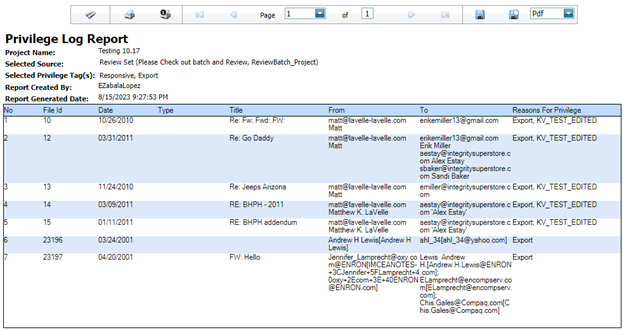
Privilege Log Report
The Privilege log report creates a
summary based on tags chosen to privilege and demonstrates the reason coded for
privilege.
To generate a Privilege Report, go
to Report > Admin Reports > Privilege Logs > Privilege
Report and select the options for your report.
The privilege report can be generated
from three sources.
• Whole Project
• Selected Review Set
• Selected Export
First, select a Source. Then,
choose the source Tag(s) and Tag(s) to Display from the drop-down lists.
Click Generate to generate the
report.