Import Summary
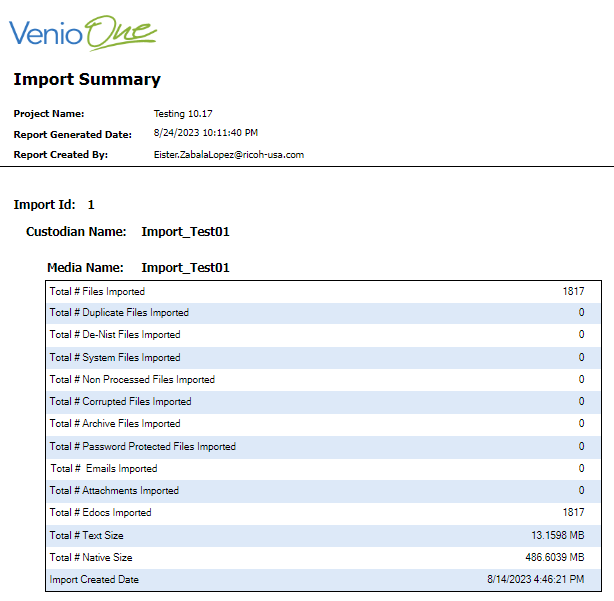
The Import Summary will generate a
summary of all Imported Files.
To generate an Import Summary Report,
go to Report > Admin Reports > Import > Import Summary.
The report header will include the Project
Name, Report Generated Date and Report Created By.
In the Import Summary Report, the following
details will be included: